Version 3.0 turned BabaCAD Robotics Web (BRW) from a single-robot simulator into a platform for multi-robot cells and plugins. Version 4.0 then added three major features: the AI Assistant, Mill / Sculpt (robot CAM) for robot milling programs on an arm, a linear rail or a table with live workpiece carving, and singularity detection.
With BRW v5.1 it goes a big step further: you can now describe a robot task in plain language and let the AI Assistant program it with the model of your choice, lay out the work of every robot on a shared timeline, model parts and tools in CAD-based editors, and open a complete car factory with 20 robots right in your browser. It is still free, still needs no installation, and still opens in a browser tab.
The headline features of this release are the AI Assistant, the timeline task editor, the new 3D object, tool and animation editors, STEP and STL import/export, and the car factory demo.
AI Assistant: from plain language to a robot program
BRW v5.1 has an AI Assistant built right into the app. Tell it what the robot should do, for example “pick the part from the conveyor and place it on the fixture”, and it generates the robot task for you. It can also write plugin code against the BRW plugin API, so a custom command or a connection to a real robot can start as a sentence instead of an empty file.
- Choose your model. The assistant works with BRW AI, Claude, ChatGPT, Gemini and OpenRouter. For the external models you use your own API key.
- Robot tasks and plugins. Generate motion tasks for the robots in your scene, or JavaScript plugins that extend BRW.
- You stay in control. Everything the assistant creates is a normal BRW task or plugin that you can check in the simulation, edit and save.
Task editor with a timeline
Once a cell has more than one robot, the hard question is not “what does each robot do” but “when”. The new task editor shows the task blocks of every robot on one shared timeline, so you can see the whole cycle at a glance, move tasks around, and find waiting times and conflicts before they happen on the shop floor. Together with collision avoidance, this makes multi-robot cells much easier to plan and tune.
3D object, tool and animation editors
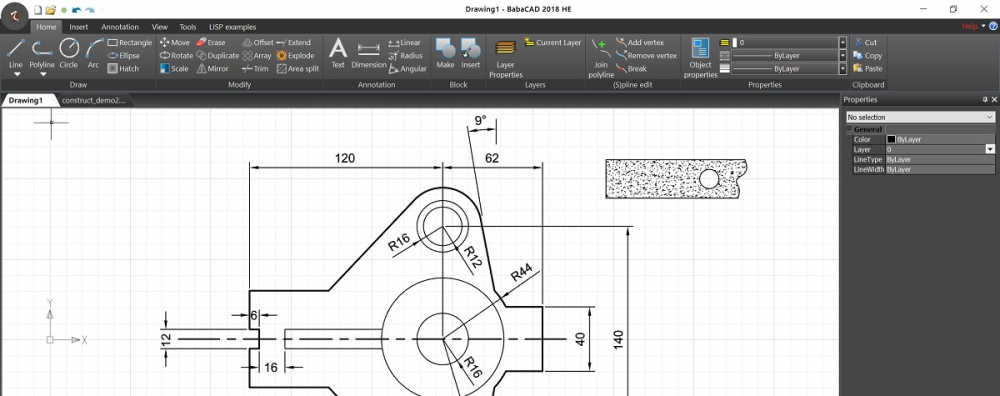
- 3D object and tool editors on a full CAD base. Model fixtures, parts, grippers and welding tools directly in BRW, without switching to another program.
- Animation editor. Animate conveyors, doors, clamps and other equipment so the whole cell moves, not just the robots.
- STEP and STL import and export. Bring in ISO-standard .stp/.step CAD models and .stl meshes from your design department, and export your work back out.
- Realistic rendering. Cells now look good enough to show to a customer as they are.
The car factory demo: 20 robots in a body shop
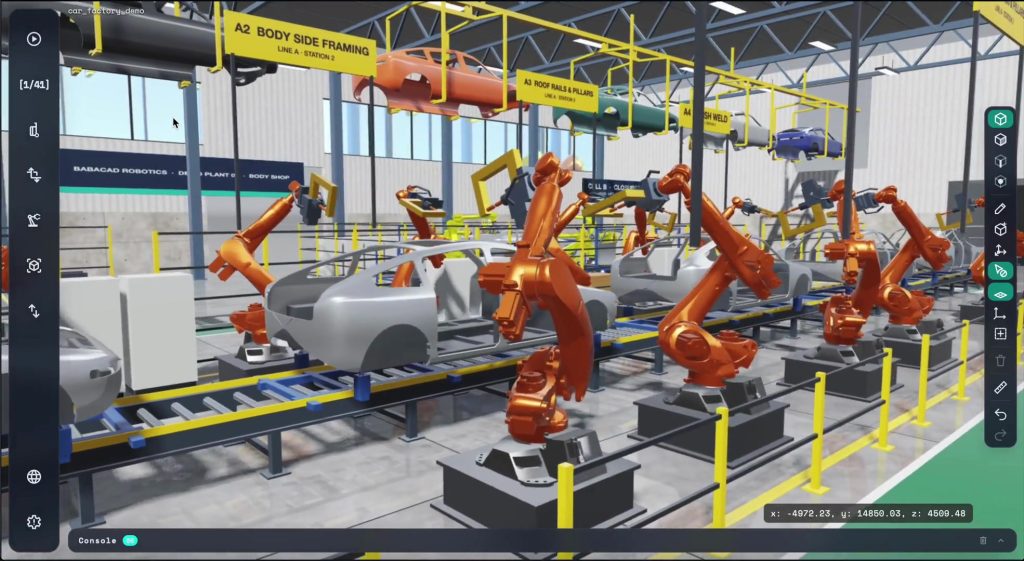
To show what BRW can do at scale, v5.1 comes with a ready-to-run car factory: 20 robots from KUKA, FANUC and Yaskawa working on welding lines, a closures cell and a CNC cell with machine loading. Start BRW, click the demo link at the top of the app, and press Play. It is the fastest way to see multi-robot simulation, the task timeline and collision avoidance working together, and a good starting point for your own projects.
Everything from earlier releases is still on board
- Mill / Sculpt (CAM): robot milling of STL models, including on a turntable.
- Singularity detection: critical sections of a path are marked in red before you run it on a real robot.
- Collision avoidance and multi-robot cells, with a large robot arm library that is updated very often.
- External axes: linear tracks and turntables.
- JavaScript plugin API for custom commands and for connecting to and controlling real robots.
Why professionals should care
- Everything in one place. CAD modelling, simulation, offline programming, CAM and AI in a single tool.
- Totally free. No limits, no signup, no subscriptions, no hidden fees.
- Any platform. Windows, macOS, Linux, and even tablets and smartphones.
- Faster proposals. Import the customer’s STEP models, build the cell, let the AI draft the tasks, check the timeline and show a realistic simulation before you quote.
- Education and training. Students can learn robot programming, multi-robot planning and CAM without waiting for time on a real cell.
Getting started
- Open robotsimulator.ai in your browser.
- Load the car factory demo from the link at the top of the app and press Play.
- Open the task editor to see how the 20 robots share the timeline.
- Start a new cell, import a STEP or STL part, and ask the AI Assistant to program a task for it.
BRW v5.1 is free to use. If you build a cell, a plugin or a workflow you’re proud of, we’d love to see it, and we’d love to hear what you want next.
Start simulator: robotsimulator.ai
Project details: babacad.com/robotics